


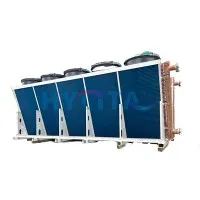
Hey there! As a supplier of dry coolers, I know how crucial it is to keep an eye on the performance of these machines, especially when you can't be right there in person. Remote monitoring is the name of the game these days, and it can save you a ton of time, money, and headaches. In this blog post, I'm gonna share some tips on how to monitor the performance of a dry cooler remotely.
Why Remote Monitoring?
First off, let's talk about why remote monitoring is so important. For starters, it allows you to keep tabs on your dry cooler 24/7, no matter where you are. Whether you're at the office, at home, or on vacation, you can easily check in on the performance of your equipment and make sure everything is running smoothly.
Remote monitoring also helps you catch problems early on. By tracking key performance indicators (KPIs) like temperature, pressure, and flow rate, you can spot any issues before they turn into major problems. This can save you from costly repairs and downtime, and keep your operations running efficiently.
Another benefit of remote monitoring is that it provides valuable data that you can use to optimize the performance of your dry cooler. By analyzing trends and patterns in the data, you can identify areas for improvement and make adjustments to your system as needed. This can help you reduce energy consumption, extend the lifespan of your equipment, and improve overall performance.
How to Set Up Remote Monitoring
Now that you know why remote monitoring is so important, let's talk about how to set it up. Here are the steps you'll need to follow:
Step 1: Choose a Remote Monitoring System
The first step is to choose a remote monitoring system that's right for your needs. There are many different options available on the market, so it's important to do your research and choose a system that's reliable, easy to use, and compatible with your dry cooler.
Some of the features you may want to look for in a remote monitoring system include:
- Real-time monitoring: This allows you to see the current status of your dry cooler at any time.
- Alerts and notifications: You can set up alerts and notifications to be notified when certain conditions are met, such as when the temperature or pressure exceeds a certain threshold.
- Historical data logging: This allows you to track the performance of your dry cooler over time and analyze trends and patterns in the data.
- Remote access: You can access the monitoring system from anywhere with an internet connection, using a computer, tablet, or smartphone.
Step 2: Install Sensors
Once you've chosen a remote monitoring system, the next step is to install sensors on your dry cooler. These sensors will collect data on key performance indicators like temperature, pressure, and flow rate, and transmit it to the monitoring system.
The type and number of sensors you'll need to install will depend on the specific requirements of your dry cooler and the monitoring system you've chosen. Some common sensors used in dry cooler monitoring include:
- Temperature sensors: These sensors measure the temperature of the coolant, air, or other fluids in the system.
- Pressure sensors: These sensors measure the pressure of the coolant, air, or other fluids in the system.
- Flow sensors: These sensors measure the flow rate of the coolant, air, or other fluids in the system.
Step 3: Connect the Sensors to the Monitoring System
Once you've installed the sensors, the next step is to connect them to the monitoring system. This typically involves running cables from the sensors to a data logger or gateway, which will then transmit the data to the monitoring system over a wired or wireless network.
The specific process for connecting the sensors to the monitoring system will depend on the type of sensors and monitoring system you've chosen. It's important to follow the manufacturer's instructions carefully to ensure that the sensors are installed and connected correctly.
Step 4: Configure the Monitoring System
Once the sensors are connected to the monitoring system, the next step is to configure the system. This typically involves setting up alerts and notifications, defining the KPIs you want to monitor, and customizing the dashboard and reports to meet your specific needs.
The specific process for configuring the monitoring system will depend on the type of system you've chosen. It's important to take the time to configure the system correctly to ensure that you're getting the most out of it.
Step 5: Test the System
Once the monitoring system is configured, the final step is to test it to make sure it's working properly. This typically involves checking the sensors to make sure they're collecting accurate data, verifying that the alerts and notifications are working correctly, and testing the remote access functionality.
It's important to test the system thoroughly before relying on it to monitor the performance of your dry cooler. This will help you identify any issues or problems early on and ensure that the system is reliable and accurate.
Key Performance Indicators to Monitor
Now that you've set up remote monitoring for your dry cooler, let's talk about the key performance indicators (KPIs) you should be monitoring. Here are some of the most important KPIs to track:
Temperature
Temperature is one of the most important KPIs to monitor in a dry cooler. It's important to keep the temperature of the coolant, air, or other fluids in the system within a certain range to ensure optimal performance and prevent damage to the equipment.
You should monitor the temperature at various points in the system, including the inlet and outlet of the dry cooler, the condenser, and the evaporator. By tracking the temperature over time, you can identify any trends or patterns that may indicate a problem with the system.


Pressure
Pressure is another important KPI to monitor in a dry cooler. It's important to keep the pressure of the coolant, air, or other fluids in the system within a certain range to ensure optimal performance and prevent damage to the equipment.
You should monitor the pressure at various points in the system, including the inlet and outlet of the dry cooler, the condenser, and the evaporator. By tracking the pressure over time, you can identify any trends or patterns that may indicate a problem with the system.
Flow Rate
Flow rate is another important KPI to monitor in a dry cooler. It's important to maintain a consistent flow rate of the coolant, air, or other fluids in the system to ensure optimal performance and prevent damage to the equipment.
You should monitor the flow rate at various points in the system, including the inlet and outlet of the dry cooler, the condenser, and the evaporator. By tracking the flow rate over time, you can identify any trends or patterns that may indicate a problem with the system.
Energy Consumption
Energy consumption is an important KPI to monitor in a dry cooler, especially if you're looking to reduce your energy costs. By tracking the energy consumption of your dry cooler over time, you can identify any trends or patterns that may indicate a problem with the system or opportunities for improvement.
You should monitor the energy consumption of your dry cooler using a power meter or other energy monitoring device. By analyzing the data, you can identify ways to reduce your energy consumption, such as adjusting the settings of the dry cooler or upgrading to a more energy-efficient model.
Troubleshooting Common Issues
Even with remote monitoring in place, you may still encounter some issues or problems with your dry cooler from time to time. Here are some of the most common issues and how to troubleshoot them:
High Temperature
If you notice that the temperature of the coolant, air, or other fluids in the system is higher than normal, there could be several possible causes. Some of the most common causes include:
- Clogged filters: If the filters in the dry cooler are clogged, it can restrict the flow of air or coolant and cause the temperature to rise. You should check the filters regularly and replace them as needed.
- Low coolant level: If the coolant level in the system is low, it can cause the temperature to rise. You should check the coolant level regularly and add more coolant as needed.
- Faulty fan or pump: If the fan or pump in the dry cooler is not working properly, it can cause the temperature to rise. You should check the fan and pump regularly and replace them if necessary.
Low Pressure
If you notice that the pressure of the coolant, air, or other fluids in the system is lower than normal, there could be several possible causes. Some of the most common causes include:
- Leaks: If there are leaks in the system, it can cause the pressure to drop. You should check the system for leaks regularly and repair them as needed.
- Clogged pipes: If the pipes in the dry cooler are clogged, it can restrict the flow of air or coolant and cause the pressure to drop. You should check the pipes regularly and clean them as needed.
- Faulty valve: If the valve in the dry cooler is not working properly, it can cause the pressure to drop. You should check the valve regularly and replace it if necessary.
Low Flow Rate
If you notice that the flow rate of the coolant, air, or other fluids in the system is lower than normal, there could be several possible causes. Some of the most common causes include:
- Clogged filters: If the filters in the dry cooler are clogged, it can restrict the flow of air or coolant and cause the flow rate to drop. You should check the filters regularly and replace them as needed.
- Low coolant level: If the coolant level in the system is low, it can cause the flow rate to drop. You should check the coolant level regularly and add more coolant as needed.
- Faulty pump: If the pump in the dry cooler is not working properly, it can cause the flow rate to drop. You should check the pump regularly and replace it if necessary.
Conclusion
Remote monitoring is a powerful tool that can help you keep an eye on the performance of your dry cooler and ensure that it's running smoothly. By following the steps outlined in this blog post, you can set up remote monitoring for your dry cooler and start tracking key performance indicators like temperature, pressure, and flow rate.
If you have any questions or need help setting up remote monitoring for your dry cooler, please don't hesitate to contact us for procurement and negotiation. We're here to help you get the most out of your dry cooler and ensure that it's performing at its best.
We offer a wide range of dry coolers, including V Dry Cooler, Cooler Radiator Dry Cooler, and Server Dry Cooler. Our team of experts can help you choose the right dry cooler for your needs and provide you with all the support and assistance you need to keep it running smoothly.
So what are you waiting for? Contact us today to learn more about our dry coolers and how we can help you monitor their performance remotely.
References
- Smith, J. (2023). Remote Monitoring of Industrial Equipment. Industrial Maintenance Journal.
- Johnson, A. (2022). Best Practices for Dry Cooler Performance Optimization. HVAC Magazine.